Clipboard
Clipboard History That Lives in the Mac Notch
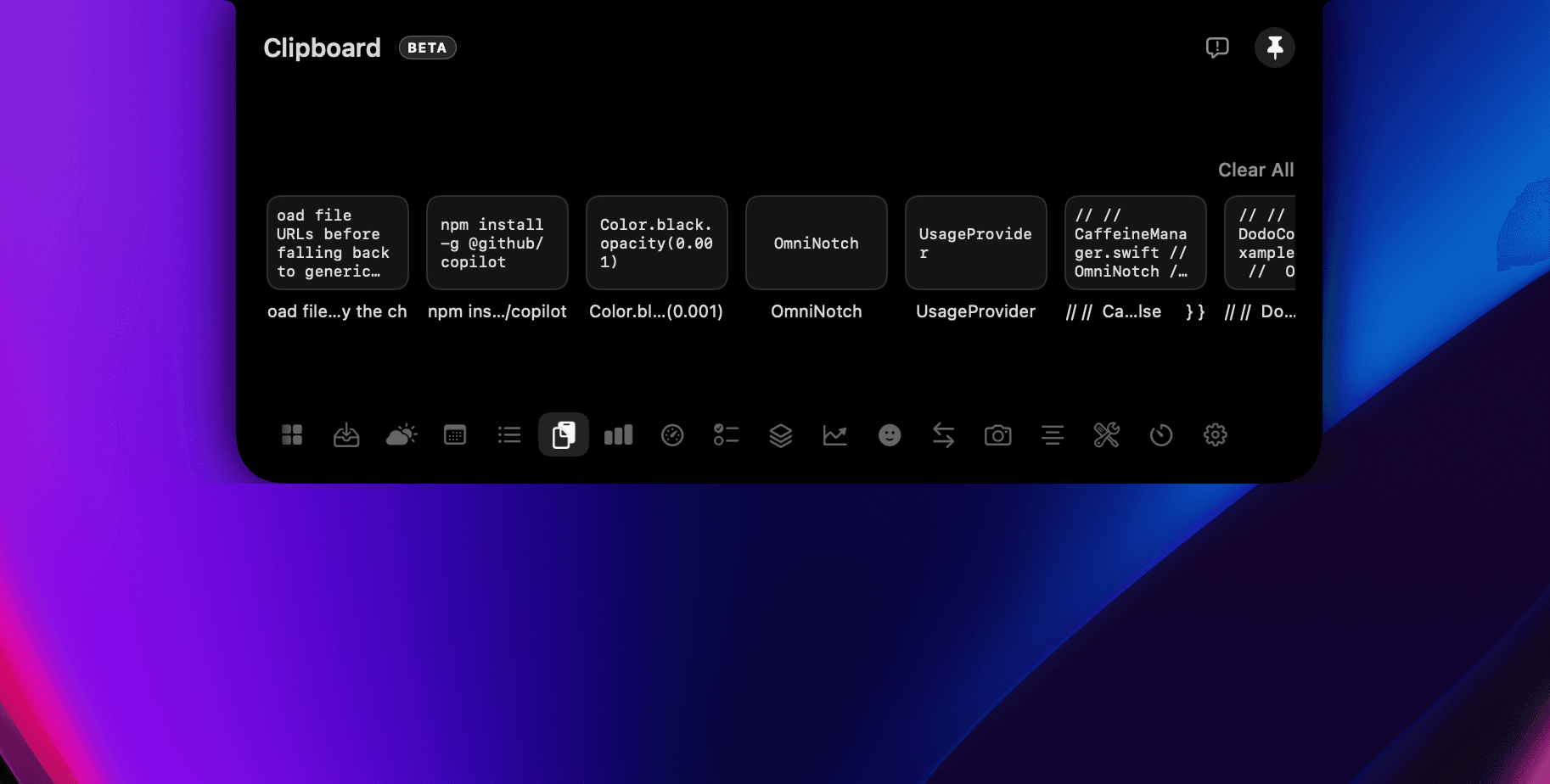
To keep clipboard history in the Mac notch, hover the notch and open the clipboard list. Items are newest first. Click one to copy it again, or hold Option and delete to remove it. History is stored on your Mac and is not synced to an OmniNotch server. When OmniNotch can tell a clip came from a password manager, it skips that clip. The license is one payment, not a subscription.
The problem
macOS keeps only the last paste. A separate menu-bar clipboard app is another icon that never sits where the notch already is.
How it works in the notch
- 01Hover and open history. Hover the notch and open clipboard history. The newest clip is first.
- 02Copy an older item. Click a row to put that clip back on the pasteboard.
- 03Delete with Option. Hold Option and delete a row when you are done with it.
- 04Skip password clips. Password-manager and other transient clips are skipped when OmniNotch can detect them.
How to recall a paste without a cloud clipboard
History never leaves the Mac. Clear it in the app when you are done. There is no account to sync clips to a phone. If a clip looks missing, it was likely marked transient — password managers are skipped on purpose.
For files rather than text, use AirDrop from the Mac notch. For rewriting a clip you just restored, open private AI chat in the Mac notch.
Use cases
Grab a code snippet you copied three pastes ago. Restore a URL after an accidental copy. Pull a previous address without reopening the source app.
When another app is the better choice
Notchy includes a free clipboard if you do not need the rest of the suite — see OmniNotch vs Notchy. NotchNook is the pick if you already own its modules — see OmniNotch vs NotchNook. A cross-device clipboard that syncs to a phone is a different product. OmniNotch does not do that.
Privacy notes
Clipboard history is stored only on your device. Clear it anytime from the app. Read the privacy policy.
Questions
- Does Mac clipboard history leave my Mac?
- No. OmniNotch stores history on the device. There is no cloud sync.
- Are passwords saved in the history?
- Password-manager clips are skipped when OmniNotch can detect them. Do not rely on that for every app. Clear history if you are unsure.
- How do I delete one clip?
- Hover the notch, open history, hold Option, and delete that row.
- Is clipboard history a subscription?
- No. It is included in the one-time OmniNotch license.
- Can I sync clips to my iPhone?
- No. History stays on the Mac. Universal Clipboard from Apple is separate and is not this list.
- How do I copy an older item again?
- Click the row in the notch. That text goes back on the pasteboard.